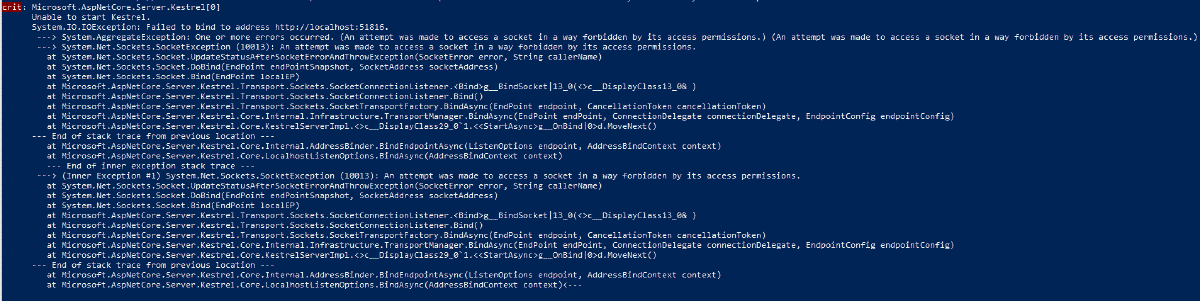
I’m assuming you’re here because you are seeing this error and are wondering why:
 1
 2
 3
 4
 5
 6
 7
 8
 9
10
11
12
13
14
15
16
17
18
19
20
21
22
23
24
25
26
27
28
29
|
Microsoft.AspNetCore.Server.Kestrel [0]
 Unable to start Kestrel.
 System.IO.IOException: Failed to bind to address http://localhost:51816.
 ---> System.AggregateException: One or more errors occurred. (An attempt was made to access a socket in a way forbidden by its access permissions.) (An attempt was made to access a socket in a way forbidden by its access permissions.)
 ---> System.Net.Sockets.SocketException (10013): An attempt was made to access a socket in a way forbidden by its access permissions.
 at System.Net.Sockets.Socket.UpdateStatusAfterSocketErrorAndThrowException(SocketError error, String callerName)
 at System.Net.Sockets.Socket.DoBind(EndPoint endPointSnapshot, SocketAddress socketAddress)
 at System.Net.Sockets.Socket.Bind(EndPoint localEP)
 at Microsoft.AspNetCore.Server.Kestrel.Transport.Sockets.SocketConnectionListener.<Bind>g__BindSocket|13_0(<>c__DisplayClass13_0& )
 at Microsoft.AspNetCore.Server.Kestrel.Transport.Sockets.SocketConnectionListener.Bind()
 at Microsoft.AspNetCore.Server.Kestrel.Transport.Sockets.SocketTransportFactory.BindAsync(EndPoint endpoint, CancellationToken cancellationToken)
 at Microsoft.AspNetCore.Server.Kestrel.Core.Internal.Infrastructure.TransportManager.BindAsync(EndPoint endPoint, ConnectionDelegate connectionDelegate, EndpointConfig endpointConfig)
 at Microsoft.AspNetCore.Server.Kestrel.Core.KestrelServerImpl.<>c__DisplayClass29_0`1.<<StartAsync>g__OnBind|0>d.MoveNext()
 --- End of stack trace from previous location ---
 at Microsoft.AspNetCore.Server.Kestrel.Core.Internal.AddressBinder.BindEndpointAsync(ListenOptions endpoint, AddressBindContext context)
 at Microsoft.AspNetCore.Server.Kestrel.Core.LocalhostListenOptions.BindAsync(AddressBindContext context)
 --- End of inner exception stack trace ---
 ---> (Inner Exception #1) System.Net.Sockets.SocketException (10013): An attempt was made to access a socket in a way forbidden by its access permissions.
 at System.Net.Sockets.Socket.UpdateStatusAfterSocketErrorAndThrowException(SocketError error, String callerName)
 at System.Net.Sockets.Socket.DoBind(EndPoint endPointSnapshot, SocketAddress socketAddress)
 at System.Net.Sockets.Socket.Bind(EndPoint localEP)
 at Microsoft.AspNetCore.Server.Kestrel.Transport.Sockets.SocketConnectionListener.<Bind>g__BindSocket|13_0(<>c__DisplayClass13_0& )
 at Microsoft.AspNetCore.Server.Kestrel.Transport.Sockets.SocketConnectionListener.Bind()
 at Microsoft.AspNetCore.Server.Kestrel.Transport.Sockets.SocketTransportFactory.BindAsync(EndPoint endpoint, CancellationToken cancellationToken)
 at Microsoft.AspNetCore.Server.Kestrel.Core.Internal.Infrastructure.TransportManager.BindAsync(EndPoint endPoint, ConnectionDelegate connectionDelegate, EndpointConfig endpointConfig)
 at Microsoft.AspNetCore.Server.Kestrel.Core.KestrelServerImpl.<>c__DisplayClass29_0`1.<<StartAsync>g__OnBind|0>d.MoveNext()
 --- End of stack trace from previous location ---
 at Microsoft.AspNetCore.Server.Kestrel.Core.Internal.AddressBinder.BindEndpointAsync(ListenOptions endpoint, AddressBindContext context)
 at Microsoft.AspNetCore.Server.Kestrel.Core.LocalhostListenOptions.BindAsync(AddressBindContext context)
|
The reason is most likely due to a Windows Update that restricted access to certain ports on Windows machines. The details are here.
You can view a list of which ports are excluded from your user by running this command:
1
|
netsh interface ipv4 show excludedportrange protocol=tcp
|
On my Windows 10 machine I get this output:
 1
 2
 3
 4
 5
 6
 7
 8
 9
10
11
12
13
14
15
16
17
18
19
20
|
Protocol tcp Port Exclusion Ranges

Start Port End Port
---------- --------
 5357 5357
 49800 49899
 49900 49999
 50000 50059 *
 50060 50159
 50160 50259
 50260 50359
 50683 50782
 50783 50882
 50883 50982
 50983 51082
 51083 51182
 51777 51876
 51877 51976

* - Administered port exclusions.
|
Specifically, I had an ASP.NET Core web app that previously worked fine with ports 51814 and 51815 but then suddenly wouldn’t start. Looking at the list above you can see this is in the range of 51777-51876.
After changing my ports, everything works again.