
A couple of years ago, I wrote an article on how to use the git command line to sync a fork with its upstream branch. Now, you should need those instructions much less frequently, because GitHub has added support for it to its web application. You’ll find it in the image below:
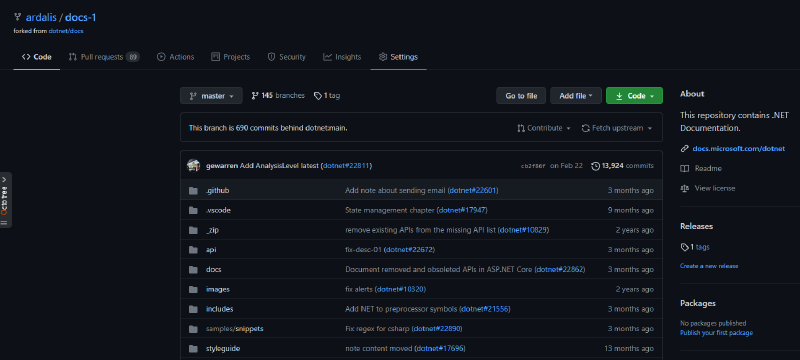
Once you click on the ‘Fetch Upstream’ button, there’s a dialog to confirm:
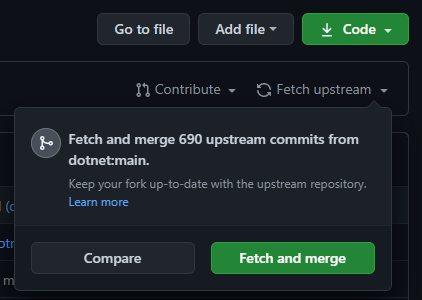
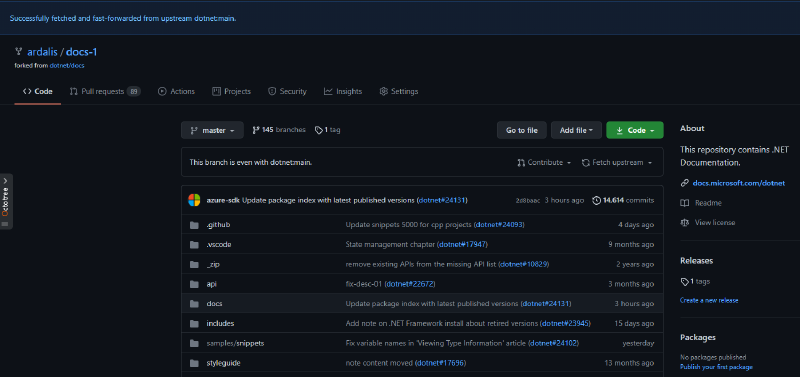
Click the button and assuming no major conflicts, you should have your fork updated to the upstream branch, with a dialog at the top of your browser confirming as much:
Considering that doing this locally requires a bunch of git CLI commands that I typically have to look up every time, this is definitely a welcome addition to GitHub’s web site.
Additional References
- Sync Fork of GitHub Repo with Upstream
- GitHub Help Syncing a Fork
- Update Fork without CLI (do same thing using a reverse pull request in the browser!)
- Reset Fork to Upstream