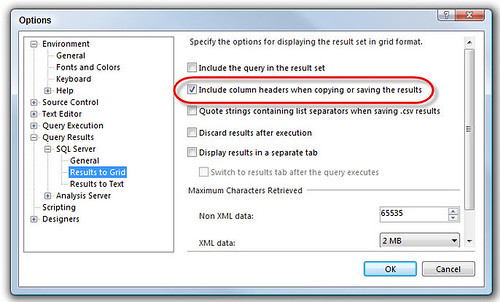
A minor frustration I’ve had with SQL Server for years is that when copying the results to Excel, the column names are not included. Well, Brendan blogged about this yesterday, and in a great demonstration of the value of blogging, he received a comment with the answer to this problem within a couple of hours. It turns out this can be done by going to Tools – Options – Query Results – Sql Server – Results to Grid – Include column headers when copying or saving results. Beautiful. Here’s a screenshot if you have problems finding it.