Back in the .NET 10 Preview days, Andrew Lock wrote about running one-off dotnet tools with DNX. I decided to riff on that to create what was initially just a business card, but then I enhanced it with some additional functionality, making a full-blown Ardalis CLI tool, which mostly just gets you access to content from me in your terminal.
You can find the source for my ardalis command line interface as well as its listing on NuGet. You should review these before running commands on your machine to ensure the tool isn’t doing anything nefarious.
🚀 Running Tools with DNX
You can run tools directly from NuGet using ‘dnx’. Here’s a summary of the options for this command:
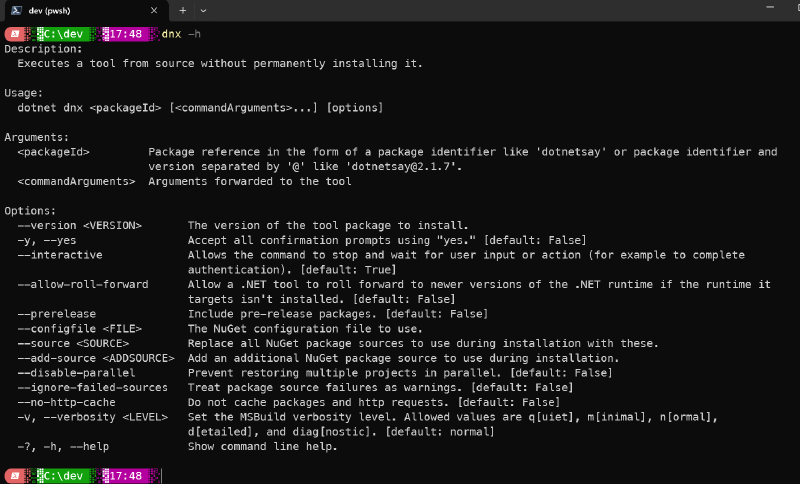
Note that since Andrew’s blog post, they’ve added a confirmation prompt that will ask you if you want to run/install the tool. If you’re sure you do, you can pass -y. Here you can see running my ‘ardalis’ CLI tool using the ‘-y’ switch:
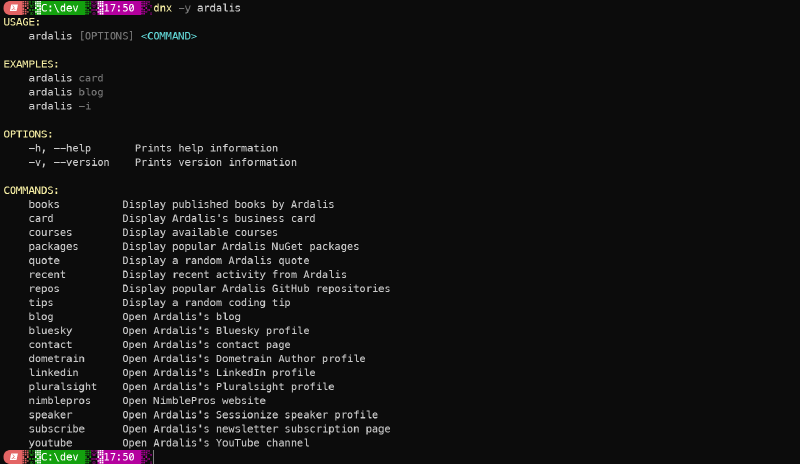
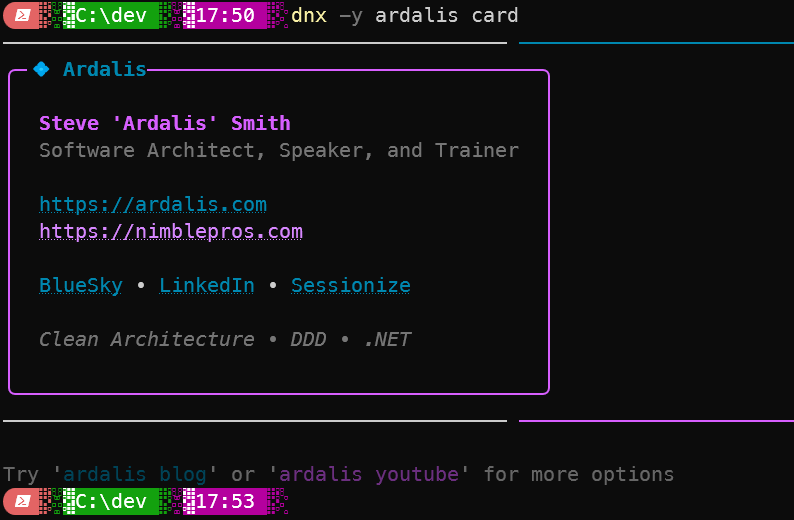
You can also pass arguments. So, to see my ‘card’ you would use:
|
|
Which yields something like this:
💻 Without dnx
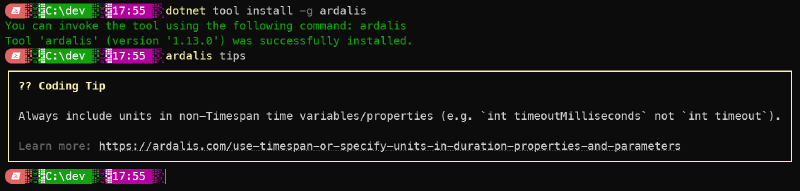
What if you don’t want to have to type ‘dnx’ every time? Well, you can still use dotnet tool install. To install the Ardalis CLI globally, just run this:
|
|
Which should yield something like this, and then you can run the tool using just ardalis without the dnx command.
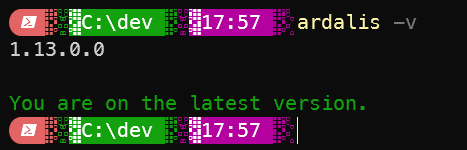
You can also check the current version (and see if there are updates) using the -v switch:
If you do need to update a tool, you just use this command:
|
|
⚠️ Security
Please be careful about blindly running things using these tools! Be sure to check them out on NuGet.org, use the online NuGet Package Explorer to see what dependencies it has, consider reviewing the source code. Just realize that running these tools is running arbitrary code on your machine, and you should ensure it’s coming from a trusted source (like me…).
📝 Summary
If you have some tools you or your organization want to distribute in a very easy manner, the dnx and dotnet tool commands make it extremely easy to do. And of course since dotnet is cross-platform, all of this will work on linux and mac as well as Windows machines. You just need to have .NET 10 or later.