ASP.NET 5 provides a much more granular way of specifying the dependencies your applications has. This is done in the project.json file, like so:
 "dependencies": {"Microsoft.AspNet.IISPlatformHandler":"1.0.0-*","Microsoft.AspNet.Server.Kestrel":"1.0.0-*","Microsoft.AspNet.Diagnostics":"1.0.0-*","Microsoft.Framework.Logging.Console":"1.0.0-*"
 },
But what happens if you can’t remember where some package is located? Maybe you’re building an ASP.NET 5 application and you want to add logging to it. You remember that Logging is located in the AspNet repository on GitHub, so naturally you figure it must be under"Microsoft.AspNet" – but it’s not! Where is it? How can you find it? Reverse Package Search can help.
Perform a search for logging, and you’ll quickly see all packages that include this string.
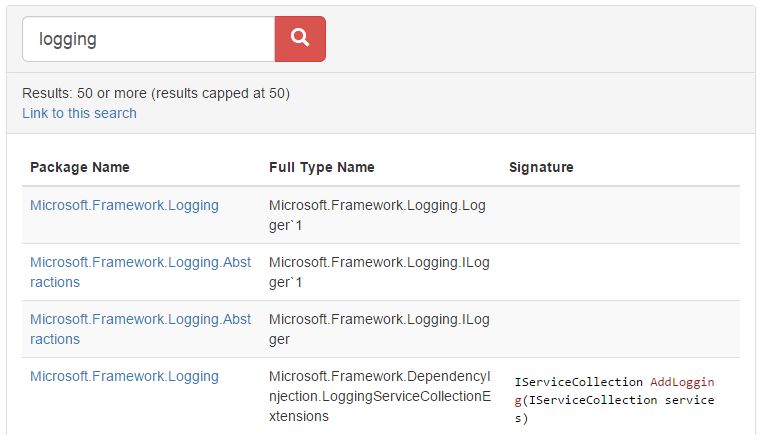
Note that this doesn’t just match on the package name – you could probably achieve that using the Nuget GUI tool in Visual Studio. Reverse Package Search will also let you search for something that exists within the package, such as a type name (example, ILoggerFactory). Often, you’re looking for a particular type, and don’t know which package it’s ended up in, so this can be quite useful.
Hope this helps!